My Style
Darkroom can develop your new photos the way you would, based on the ones you have already edited in Darkroom. No style is supplied: everything comes from your own examples, and everything is computed on your computer.
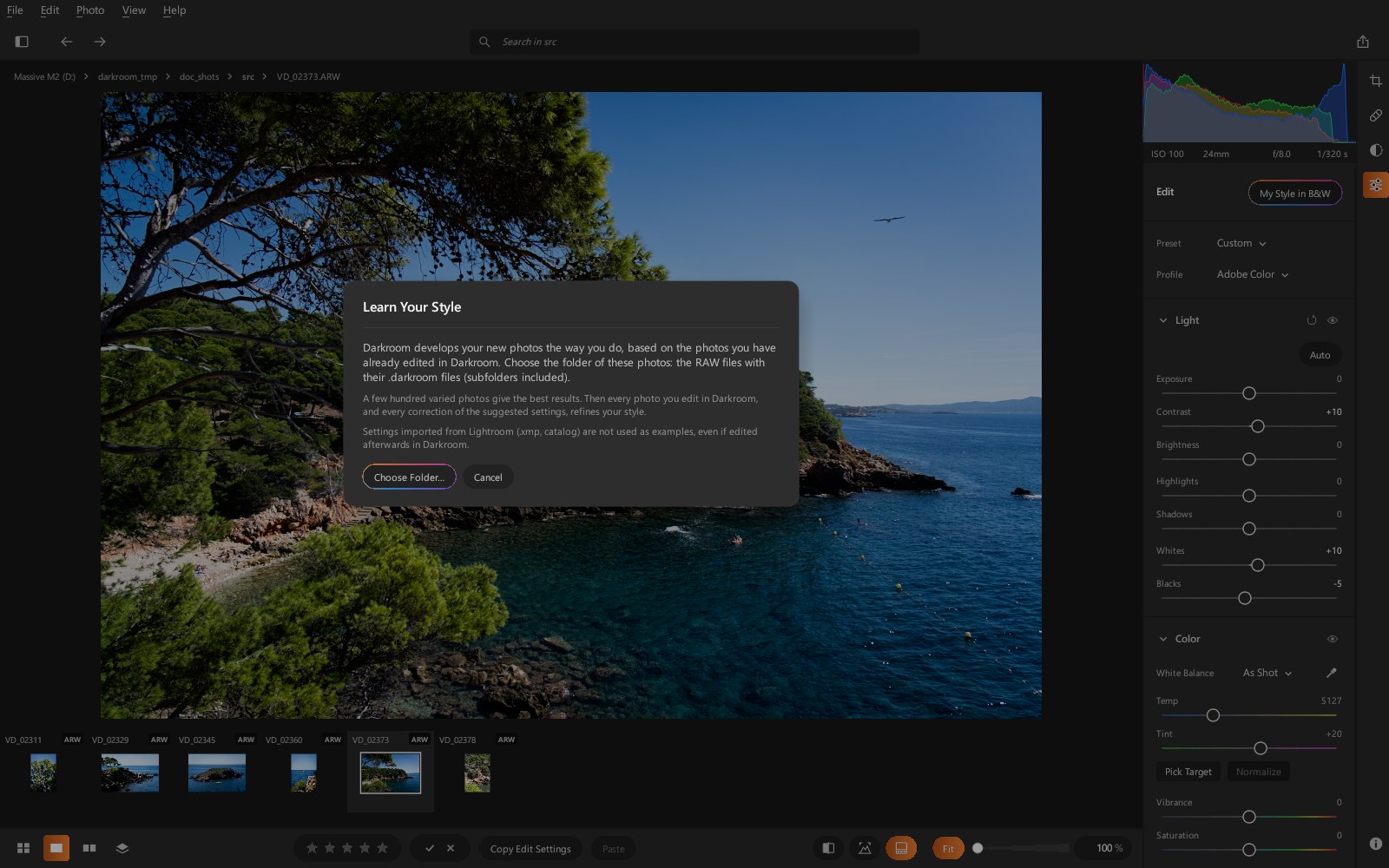
Choose your examples
Photo › Choose My Style Folder… (or the first time you use Process all
in my style): choose a folder of RAW photos already edited in Darkroom, with their
.darkroom files, subfolders included. Then every photo you edit in Darkroom, wherever it
is, and every correction of the suggested settings refines your style.
A few hundred varied photos give the best results.
Settings imported from Adobe Lightroom (.xmp files, catalog) are not used as examples,
even if you edit the photo afterwards in Darkroom.
Develop in your style
- Process all in my style (at the bottom of the grid, or the Photo menu): develops the folder's photos that were never edited. The ones you have already edited are left untouched.
- My Style in B&W / My Style in Color (at the top of the Edit panel): develops the displayed photo the way you do black and white, or color.
The suggested settings are ordinary settings: adjust them by hand if needed.
How it works
For each new photo, Darkroom looks among your examples for the most similar photos (content, light, colors, ISO) and starts from your usual settings, moving toward theirs. It keeps what you do most often on those photos (their median): an unusual edit, a one-off effect or a special case does not change your style.
The style keeps improving: every photo edited in Darkroom, and above all every correction you make to the suggested settings, becomes a new example. If your way of editing changes, recent edits count more.